
Current version
320px Site Audit is published on WordPress.org
Install the free version 0.1.1 from the WordPress dashboard or download it from the official directory. The plugin runs on the audited site, requires no account, and does not send the report to the 320px team without a separate administrator action.
- Version 0.1.1 ready
- WordPress.org approval
- Directory installation
- Not a lead form. A complete basic report needs no email, account, or payment.
- Not an auto-fixer. The plugin analyses and explains but does not modify the audited site.
- Not a promise of a perfect site. Unavailable scope is marked not tested.
What it looks like
Choose what to check
The version 0.1.1 start screen on wp-content.ru, captured on 13 September 2026. The Russian interface is shown without retouching or client-site data. Reports are available in Russian and English.
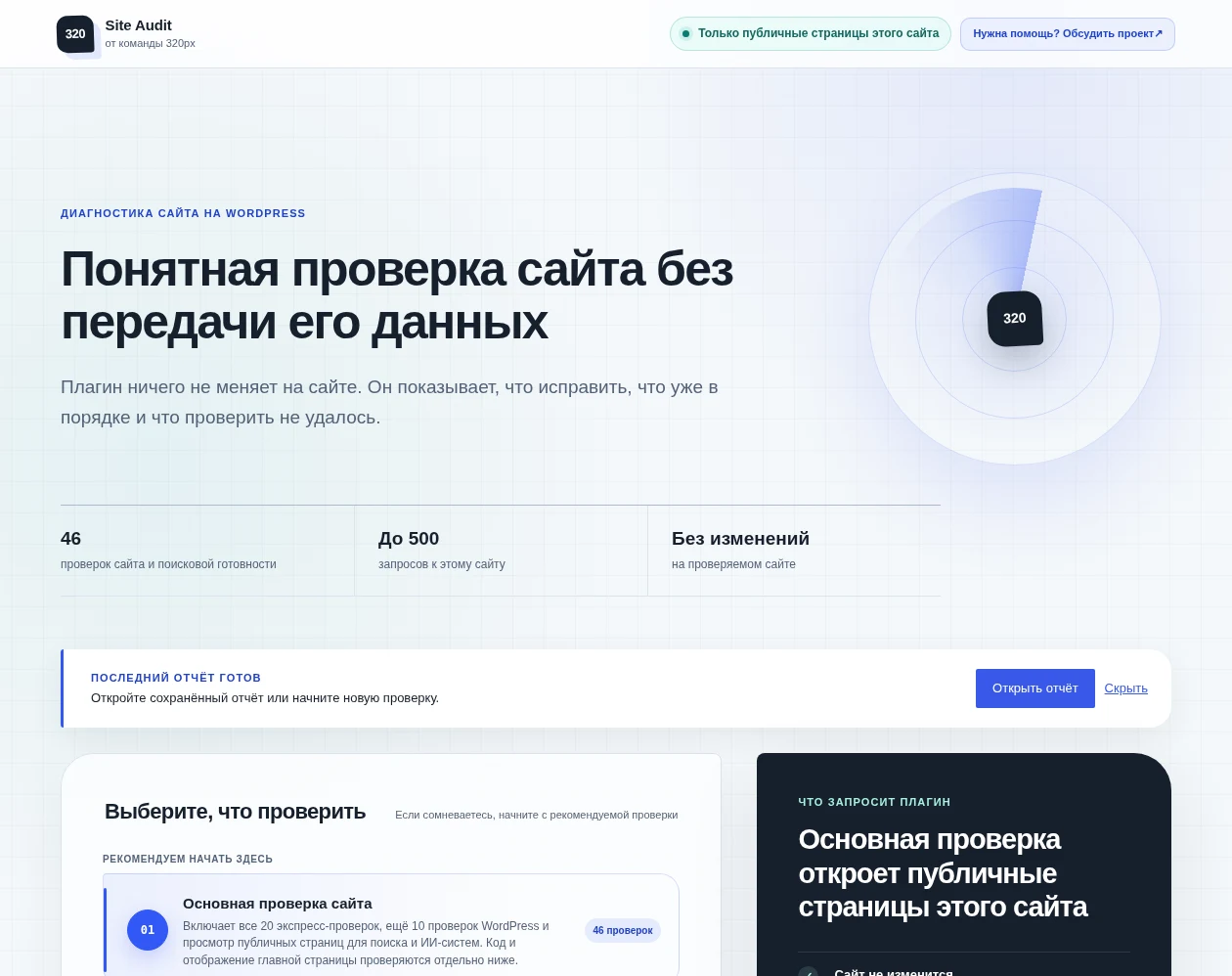
Express is its shorter subset. Code, selected components, page rendering, and server checks are separate options with their scope explained before launch.
Why it helps
One baseline before several specialist audits.
One local report helps identify whether the next person should be a developer, SEO practitioner, UX researcher, security specialist, or legal adviser before commissioning several overlapping initial audits.
01
WordPress and server
Versions, configuration, components, cron, database, caches, and accessible server signals.
02
SEO and frontend
Indexability, metadata, links, templates, rendered reflow, forms, and keyboard signals.
03
Security and privacy
Observable posture and data-flow signals with explicit manual and legal boundaries.
Installation
Install it like a regular WordPress plugin.
- Find the plugin
- Choose Install
- Open Site Audit
- In the WordPress dashboard: open Plugins → Add New, find 320px Site Audit, and choose Install.
- From the official directory: open the plugin page on WordPress.org and download the version 0.1.1 archive.
- After activation: open Tools → 320px Site Audit. No registration, licence key, or external dashboard connection is required.
Choosing a check
Main and additional checks.
Start with the main audit. It includes the express mode, ten more local WordPress checks, and public-page inspection. Code, rendered-page, and server checks run separately when needed. The numbers are check counts, not a promise to find that many problems.
46
Main site audit
The recommended WordPress and technical-search baseline, including URL variants, a real 404 response, /llms.txt, and a fresh bounded Site Health run.
20
WordPress express check
The first 20 items from the main audit without opening public pages. It is the faster option, not an additional audit.
11
Custom site code
A separate check of the active theme, MU plugins, and recognised Code Snippets without storing source.
11
Selected plugins or themes
A separate check of only the 1–10 components the administrator explicitly selects.
20
Rendered home page
A separate check of the post-load structure, five viewport widths, forms, resources, and accessibility.
9
Server continuation
A separate WP-CLI command for evidence unavailable in wp-admin. The plugin never receives SSH access.
Reading the report
Fixes first. Everything else stays collapsed.
- What to fix
- All good
- Why not tested
- Summary. Shows immediately whether action is needed and how many results were received.
- Needs attention. These results come first. Each says what was observed and what to do next.
- Where it was found. Title, H1, noindex, link, and other page issues are grouped separately; safe page paths open directly from the report.
- All good—no action required. Passed checks are grouped in a collapsed section and remain available when details are useful.
- Could not be tested. A separate section explains why and how to obtain a result instead of showing a false green status.
- Comparison. Changes appear only between completed audits that used the same profile and method.
Data boundary
By default, the report goes nowhere.
- On-site scan
- Local report
- You decide whether to send
- Local scans, viewing, comparison, JSON/CSV, and print do not require a 320px account or connection.
- Scheduled jobs cannot send site URLs, inventory, reports, or personal data.
- Optional external evidence runs only after a screen names the recipient, purpose, exact data class, terms, and privacy policy.
- A review request defaults to contact only. Any report scope is prepared and masked locally, then shown in full before separate consent.
- Screenshots and the private browser bundle are never part of a review request.
Does not replace
What the plugin cannot check automatically.
- SEO strategy, semantics, competitor work, or a ranking guarantee.
- UX research and user testing.
- Penetration tests, incident forensics, and manual code review.
- Legal audit, selection of legal grounds, documents, and regulator notification.
- Business priorities, remediation, and implementation ownership.
Tell us what the site needs.
A goal, the current difficulty, and an optional website address are enough. Do not send passwords, keys, or private exports.